loongbuy Sneaker QC Workflow
loongbuy Sneaker QC Workflow
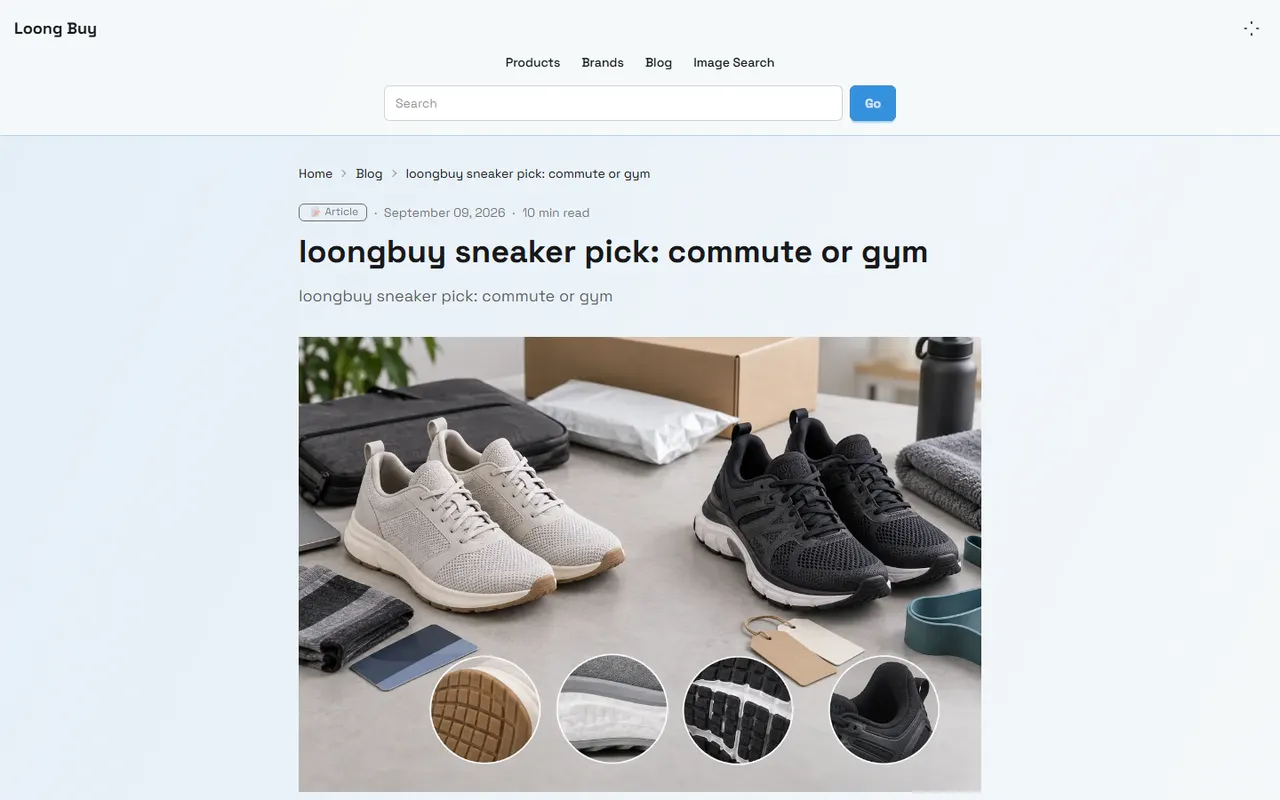
Caption: Illustration of the process for cross-checking loongbuy sneaker QC photos with a Google Sheets checklist.
Verification date: September 16, 2026. This article is based on the product search, order QC photo viewing, and external spreadsheet recording scenarios on loong-buy.com. Specific page names, photo counts, and available features should be subject to the current account page display.
First clarify the QC evidence to verify and the results to record
After purchasing sneakers, the purpose of QC photos is not to prove that the product is definitely perfect, but to help you spot obvious issues before shipping and leave a traceable record of your judgment. Before you start reviewing, clarify three things:
Which product, size, and color you are currently checking
Whether the photos cover the upper, sole, heel, size tag, and left-right shoe comparison
Whether the final result is pass, need for additional photos, or need for further after-sales contact
Don't just write "looks fine." A more useful record should include the observation target, photo date, issues found, whether additional evidence is needed, and the next action. For example: "There is a suspected scratch on the outer side of the left shoe upper. The current angle cannot confirm it. Request a close-up retake before deciding whether to ship."
When using this type of agent platform or cross-border purchasing process for the first time, it is recommended to first confirm that the account, order, and shipping information correspond to yourself. Do not share order numbers, complete shipping labels, passport information, or payment card details in public discussion areas. When viewing photos, also distinguish between product evidence and page display information: record the product name, order status, and QC photos separately to avoid mistaking search result pages for order QC results.
How to locate products and photos in the loongbuy website-style Spreadsheet
When searching for products on loong-buy.com, first use the product name, style keywords, SKU, or original product page information to locate the target. Sneakers of the same model may have different colorways, sizes, batches, or sellers, so you cannot judge them as the same product based solely on thumbnails.
It is recommended to verify in the following order:
First confirm the product title, style features, color, and size.
Then confirm whether the product has entered your own order or warehouse records.
Open the QC photo area corresponding to the order and check whether the photos indeed belong to that order.
Write the product number or custom row number into Google Sheets as the unique key for subsequent records.
Record the QC photo page or accessible photo URL in the spreadsheet; if the URL requires login to open, note the access conditions in the remarks.
Google Sheets should not be treated as the order data source for loongbuy. It is more suitable for saving your verification conclusions, pending retake items, shipping decisions, and subsequent communication records. The platform page is responsible for providing currently visible order and photo evidence, and the spreadsheet is responsible for organizing your judgments.
How to set up QC items, remarks, and pending confirmation columns in Google Sheets
A practical sneaker QC checklist does not need complex formulas, but each row must correspond to a specific product. You can use the following fields:
Field | Purpose |
|---|---|
Product ID | Connect orders, photos, and spreadsheet records |
Product Name | Record style and colorway to avoid confusion between same models |
Size | Verify whether the order size is correct |
QC Photo Date | Determine whether the photo is evidence for this order |
Upper | Record scratches, stains, stitching, and deformation |
Sole | Record obvious contamination, separation, abnormal tread patterns, or wear |
Heel and Size Tag | Record left-right differences, label position, and workmanship issues |
Left-Right Consistency | Record differences in color, shape, upper structure, and size labeling |
Evidence Status | Pass, need retake, insufficient info, or pending after-sales confirmation |
Next Step | State retake, inquiry, exchange, or shipping decision |
Photo Remarks | Save photo location, angle, and missing content |
The "Pending Confirmation" column is especially important. It indicates that the current evidence is insufficient, not that the product has a problem or that it is problem-free. Using unified statuses can reduce mis-shipping and repeated checks:
Pass: Current photos support proceeding to the next step
Need Retake: Suspected issues found, but current angles are insufficient to judge
Insufficient Info: Missing key parts or photos cannot be viewed properly
Pending After-Sales: Need platform or seller to confirm handling
Fail: Clear evidence shows mismatch with order requirements, hold shipping
Remarks should state facts, not unverified conclusions. For example, "There is a reflective area on the left side of the toe cap; cannot tell if it is a stain or lighting" is more suitable as a first record than "The shoes have quality issues." 📝
Check item by item according to upper, sole, heel, and left-right consistency
When checking the upper, focus on the toe cap, outer side, inner side, and tongue. Check whether the color is generally consistent, whether the stitching has obvious skipped stitches, and whether the fabric has visible stains, damage, creases, or asymmetry. Reflections, shadows, and compression artifacts in photos may cause misjudgment, so for suspected issues, it is best to request closer or different-angle photos.
When checking the sole, observe whether there is obvious separation, cracking, severe contamination, abnormal wear, or left-right tread differences. Do not equate slight dust from warehouse handling directly with unacceptable flaws, nor infer that the actual product has no other issues just because the photos look clean.
When checking the heel and size tag, verify the left and right shoes' labels, size information, position, and clarity. If the size tag is blocked, overexposed, or at too oblique an angle, record it as insufficient evidence rather than guessing the size or style from blurry photos.
Finally, perform a left-right consistency check:
Are there obvious differences in color and brightness?
Are the toe box height, upper profile, and heel shape significantly different?
Do the left and right shoes' stitching, labels, and structure correspond?
Do the photos show both left and right shoes at the same time, rather than only one?
Can you confirm that all photos come from the same order and same pair?
If there is only a slight angle difference, record it as "Photo angles differ, not yet confirmed," not directly as "left-right inconsistent." 🔍
Differences in use between website photo preview and external links in spreadsheets
The photo preview on loongbuy pages is suitable for immediate viewing. The advantage is that you can combine order context to determine photo ownership; the disadvantage is that photos may require login, page status may change, or preview sizes may differ on different devices.
External link records in Google Sheets are suitable for tracking and rechecking. You can save the page location, photo number, or accessible URL in the Photo Remarks column, and also write limitations such as "requires login," "photo expired," "thumbnail only." Do not mark inaccessible URLs as valid evidence, nor copy full page content containing personal information into a public spreadsheet.
The division of labor between the two tools can be understood as follows:
Use Case | Website Photo Preview | Google Sheets Checklist |
|---|---|---|
Viewing original QC photos | More suitable | Save location or remarks only |
Reviewing a single order | More suitable | Record conclusions |
Batch organizing multiple items | Auxiliary viewing | More suitable |
Managing pending retake items | Provides evidence | More suitable |
Tracing shipping decisions | Requires page still accessible | More suitable for saving judgment time and reason |
The spreadsheet cannot replace original photos. If photos later become invalid, the text in the spreadsheet can only prove that you once made records, not restore missing visual evidence. Therefore, for important decisions, you should simultaneously save the verification date, photo status, and necessary screenshot records, and first cover order numbers, names, addresses, and other personal information.
How to mark retake requests without jumping to conclusions when information is insufficient
When encountering blurry, missing angles, or insufficient quantity of QC photos, use the "insufficient evidence" process:
Mark the specific missing part in the spreadsheet, e.g., "sole forefoot not shown."
State the required retake angles, e.g., "left and right shoes side by side, natural light, close-up of toe box."
Suspend final shipping judgment to avoid treating unknown status as pass.
After receiving new photos or platform response, update the original row record instead of creating another row to avoid duplication.
Keep the original judgment and update time to ensure later visibility of why the conclusion changed.
Retake requests should be as specific as possible, not just "please retake clearly." For example: "Please supplement close-ups of the left and right shoe outer sides, toe box, sole forefoot, and size tag, and have both shoes appear in at least one photo simultaneously."
If the platform cannot provide supplementary photos, record "cannot verify" and decide whether to continue, cancel, or consult after-sales according to order policy. Do not fill in missing information with conclusions about material, authenticity, production batch, or brand. ⚠️
Which tool is suitable for single-item verification or batch organization
For single or few order verifications, directly view photos on loongbuy pages and then write conclusions into the spreadsheet. The key is to confirm photo ownership and record next steps; no need to set up an overly complex automated process for one pair of shoes.
As the number of orders increases, Google Sheets is more suitable for batch queues. You can group by "To View," "Need Retake," "Pending After-Sales," "Decided," and use product IDs to avoid duplicate handling. During batch organization, you still need to open the original photos item by item, not just infer results based on product titles, thumbnails, or adjacent rows.
It is recommended to split the batch process into three stages:
Collection: Complete product ID, size, photo date, and photo location
Verification: Check upper, sole, heel, and left-right consistency in a fixed order
Decision: Fill in evidence status and next step, then proceed to consolidation or shipping preparation
This can both improve organization efficiency and reduce the risk of duplicate viewing, duplicate retake requests, and mistakenly attributing other orders' photos to the current product.
Next step: Save a traceable QC verification checklist
After completing a QC verification, at least save the product ID, order correspondence, verification date, photo status, observed facts, final status, and next step. If you decide to ship, record "passed based on which visible evidence"; if you decide to retake or consult after-sales, record "what evidence is missing and the request already made."
The value of this method is not to judge every pair as qualified, but to make decisions reviewable. It is suitable for users who need to manage multiple sneakers simultaneously, easily confuse colors or sizes, and want to address doubts centrally before consolidation. It is not suitable for treating QC photos as authenticity verification, material testing, or complete quality assurance after receipt, nor for pursuing rapid batch pass when photos are clearly insufficient.
If a batch organization method saves time but increases the risk of missing key parts, confusing orders, or missing after-sales windows, it should not be adopted just because spreadsheet processing is faster. Keep unconfirmable items in pending status and decide whether to ship based on new evidence; this is usually more controllable than dealing with mistakes after the fact. ✅
Common Questions about Shopping on Agent Platforms
1. What should first-time users be aware of when starting with loong-buy.com?
Users who access the Taobao agent through a spreadsheet for the first time typically receive a welcome shipping discount package. Additionally, you should review the step-by-step beginner's shopping tutorial.
2. Why is a spreadsheet necessary for loong-buy.com?
Since agent platforms like loong-buy.com generally do not show products directly on their site, you will need a spreadsheet to search for the items you want and obtain their purchase links. Another option is to ask for help on Reddit or Discord—the products suggested there are often excellent, but the process can be quite slow. These spreadsheets are usually built over a long time by collecting information from these platforms.
3. How do I search for a product I want to buy on loong-buy.com?
You can perform a search with a single keyword or go straight to the category page, where items are also sorted by brand. Longer search phrases usually yield fewer results than shorter ones, but they are more accurate. For instance, you could search for "Air Force 1 White," "sneakers," or just "Air Force 1."
4. How can I examine quality control photos on loong-buy.com?
When reviewing QC photos, pay attention to the particular characteristics of the item you bought. For shoes, you need to look at several important areas—such as the toe, heel, and tongue—to check the stitching, the shoe's shape, and the tongue's thickness to determine if it is a top-quality pair. For clothing, inspect the collar label, logo embroidery, fabric, and the evenness of the collar and cuffs, among other aspects.
Browse our latest products and find your next favorite item.