loongbuy Shoe Comparison: Site vs Google Sheets
loongbuy Shoe Comparison: Site vs Google Sheets
loongbuy Shoe Comparison: Site vs Google Sheets
When you're picking sneakers on your phone, the real challenge usually isn't finding products—it's judging at the same time whether they suit workwear styling, workouts, weather changes, and daily upkeep. Product pages require endless scrolling, and images, sizes, soles, and seller information are scattered in different places, making it easy to forget why you kept a candidate in the first place.
This article tackles a specific task: using your phone to browse shoe candidates on the loongbuy website, and recording workwear and training criteria separately in the on-site Spreadsheet and Google Sheets, to cut down on reopening pages and comparing from memory.
After reading, you should be able to do three things:
Define separate filtering criteria for workwear and training.
Build a set of comparison fields suited for mobile viewing.
When unable to confirm comfort, durability, or actual support, keep evidence and avoid jumping to conclusions.
This article is not a substitute for trying shoes on in person, nor for ordering directly without verifying size, stock, price, shipping, return policy, and destination country restrictions. Product information, page status, and platform processes should be rechecked before purchasing. The verification date for this article is September 30, 2026, and prices, stock, and page fields may change over time. 📱
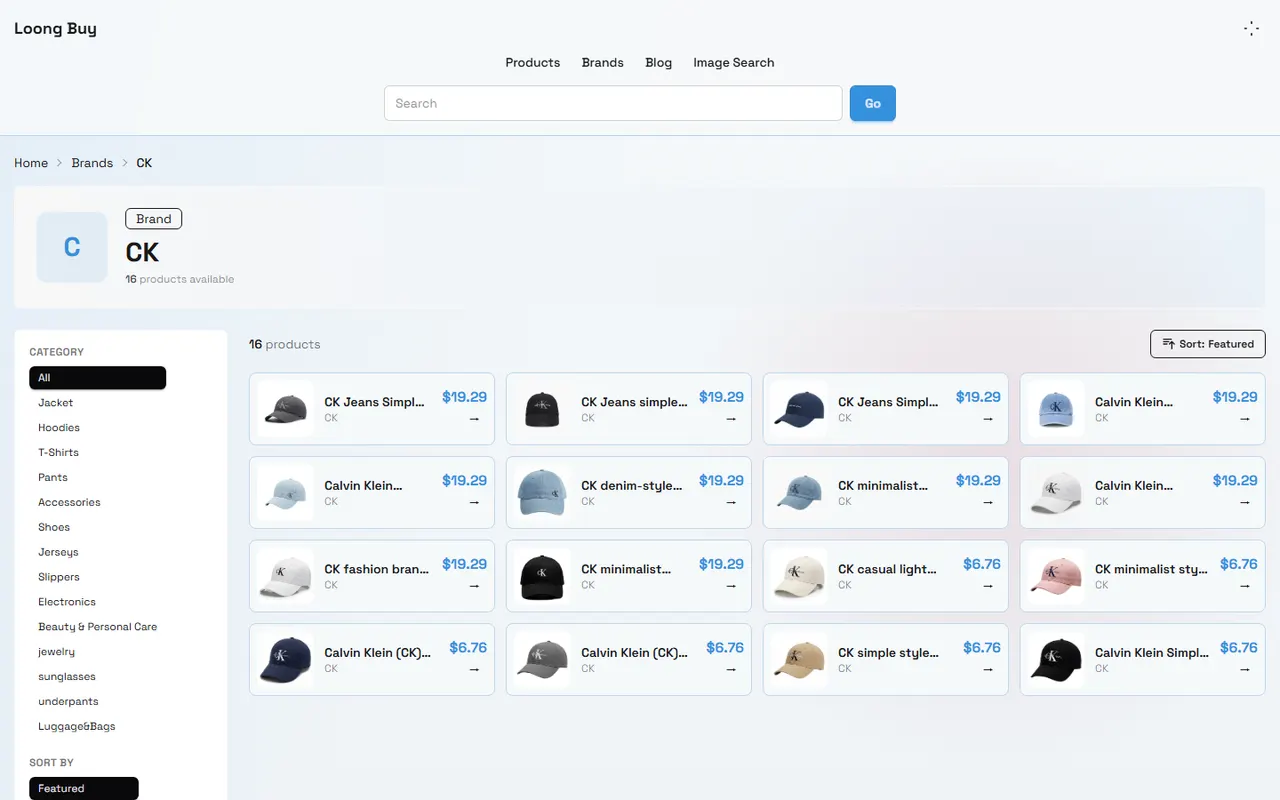
Image: A screenshot of the on-site catalog used to illustrate the comparison scenario for loongbuy shoe candidates.
Clarify the Use Scenarios for Your Two Sneaker Options on Mobile
Don't start with "which pair is better"; first write down clearly what tasks each pair will handle. Workwear shoes typically face prolonged standing, walking, varying ground surfaces, weather, and outfit matching; training shoes focus more on movements, stability, range of motion, and frequency of use.
If a shoe serves both scenarios, you need to clarify which scenario takes priority. Otherwise, the comparison easily becomes "the pictures look more comfortable" or "the reviews sound nicer," without supporting an actual decision.
You can start by recording your goals as follows:
Workwear priority: log daily walking time, whether transfers are needed, and whether you often encounter rain or slippery surfaces.
Training priority: log training type, floor material, movement intensity, and whether strong lateral stability is needed.
Mixed use: set priorities for each scenario, e.g., 60% workwear and 40% training.
Backup shoe: if your primary choice has size or stock issues, keep an alternative with relatively complete evidence.
When choosing between two pairs, don't force yourself to find an absolute winner. A more practical conclusion is: which pair better fits the current scenario, what information is still missing, and what needs to be verified before ordering. 👟
Browsing Product Cards with loongbuy's On-Site Spreadsheet
The on-site Spreadsheet is better for quickly browsing a batch of candidates. Its advantage is not proving that a shoe is definitely comfortable, but placing multiple products in a similar browsing path so you can quickly keep, exclude, or revisit them.
When browsing on mobile, it's recommended to follow a fixed sequence:
First confirm the product name and category, excluding pages with vague titles, insufficient information, or items that aren't shoes.
Then look at the main image and detail images to confirm whether the upper, sole, laces, or other closure system can be seen clearly.
Record the visible size information, material descriptions, colors, and seller fields on the page, without filling in missing information with speculation.
Open the product details to see if there are enough images or specifications to support comparison.
Divide candidates into three categories: keep, needs verification, and exclude, rather than adding every opened product to the final list.
Return to the candidate list to check for duplicate products, different colors of the same model, or duplicate records caused solely by different image angles.
For mobile users, the most important thing is to reduce aimless back-and-forth. Before leaving a product page, leave at least one clear reason, such as "sole image is clear, suitable for further verification" or "insufficient stability information for training scenarios." That way, when you open it again, you can quickly restore your judgment context.
The on-site Spreadsheet is good for one-time screening, but it may not be ideal for long-term accumulation. Page fields can change, products can be delisted, and images can be replaced. Therefore, when keeping candidates, record the verification date rather than treating today's page as a permanent archive.
How Google Sheets Helps You Record Workwear and Training Criteria Side by Side
Google Sheets is better for building your own comparison table. It lets you put workwear criteria, training criteria, evidence status, and next steps in the same row, reducing the need to switch back and forth between multiple pages.
It's best to start with the minimum necessary fields and avoid adding too many scores at first. The more fields you have, the harder horizontal scrolling becomes on mobile, and the easier it is to disguise subjective judgments without evidence as precise scores.
Comparison Field | What to Record for Workwear | What to Record for Training | Evidence Status |
|---|---|---|---|
Upper | Visible materials on the page, breathability descriptions, cleaning difficulty clues | Whether there are enough images to observe coverage area and room for movement | Seen, missing, or needs verification |
Sole | Tread pattern, thickness description, whether rain-related info is missing | Stability and grip descriptions, cannot replace actual testing | Seen, missing, or needs verification |
Closure | Laces, Velcro, or other visible methods; ease of daily on/off | Whether it might affect stability during training | Seen, missing, or needs verification |
Size | Size chart on page, foot length requirements, measurement method | Whether to consider width, instep height, or training sock thickness | Seen, missing, or needs verification |
QC Evidence | Whether images sufficiently show obvious flaws, colors, and structure | Whether sole, stitching, symmetry, and key connections can be observed | Sufficient, partially sufficient, or insufficient |
Next Step | Check price, stock, shipping, and return policy | Check training suitability, size risk, and necessary alternatives | To-do item |
In the table, it's best to keep two areas: "original description" and "my judgment." For example, the original description might say "page shows images of rubber sole"; the judgment could be "can continue to observe tread, but cannot confirm wet-surface grip from this." Keeping them separate prevents you from mistaking speculation for product facts later.
For calculations, prefer simple, verifiable formulas. For example, if workwear is 60% and training is 40%, you can score verified fields separately and mark missing information. Don't interpret a decimal output as a precise comfort or durability conclusion.
Comparing Paths for Scrolling, Zooming, Returning to Candidates, and Viewing Images
The main obstacle in mobile comparison is not a lack of tools, but limited screen space. To reduce omissions, break each browsing session into four actions.
First, list filtering. On the list page, only handle product name, category, basic image, and whether it's worth opening—don't make all judgments there.
Second, detail verification. After entering a product page, first look at fields that support your current scenario, then images. For workwear, prioritize clear info on sole and closure; for training, prioritize coverage area, sole structure, and any training-related descriptions.
Third, record the return point. Before returning to the candidate list, write down in Google Sheets the product name, page status, and next step. If you need to return multiple times to find the same product, record a recognizable title snippet or catalog location, but don't treat a temporary page position as a permanent link basis.
Fourth, review images. Zooming only helps you observe details shown on the page; it cannot prove actual material, weight, softness, or feel. When images are compressed, angles are blocked, or lighting differs, mark as "insufficient evidence" rather than filling in with subjective words.
To reduce repeated browsing, use a "broad first, then narrow" rhythm: first keep 5 to 8 candidates, then narrow down to 2 main candidates and 1 backup. Each time you narrow, record the reason for exclusion, such as missing size info, insufficient sole images, closure not suitable for daily use, or incomplete evidence for the current scenario. 🔎
Comparison Fields for Upper, Sole, Closure, and QC Evidence
These four categories belong in the core of your comparison table because they help you organize page information and also remind you which judgments cannot be made from a single main image.
For the upper, record what the page clearly shows or states, such as material names, mesh structure, panel areas, and colors. Don't write "looks soft" or "looks breathable" as confirmed facts. A safer expression is "page shows mesh areas, but breathability still needs real-world use to verify."
For the sole, separately record the outsole tread, thickness or structure description, and any missing environmental information. Urban workwear may involve concrete, tile, stairs, and wet surfaces; training may involve indoor rubber flooring, treadmills, or other specialized surfaces. Without corresponding tests or official statements, you cannot promise slip resistance, rebound, or long-term wear.
Closure includes laces, Velcro, zippers, or other visible structures. For workwear, you can note ease of on/off and adjustability; for training, whether the page shows enough secure structure. But appearance alone cannot confirm lockdown during movement.
QC evidence should be recorded separately. Observable items include obviously crooked stitching, whether left and right shoe shapes are roughly consistent, obvious anomalies at the sole-upper connection, and whether images are obstructed. QC images only support limited observation of the sample displayed on the page; they cannot equate to inspection after receiving the product, nor prove that every unit of the same model is identical.
If a field lacks evidence, use "not provided" or "needs verification," not "should," "probably," or "looks good." This may make your table less pretty, but it makes your final choice more reliable.
Which Comfort and Durability Conclusions Cannot Be Made from a Mobile Page Alone
A mobile page can help you organize information, but it cannot directly answer all wearing questions. The following conclusions typically require trying on, real-world testing, reliable official specs, or clear after-sales records:
Whether the shoe fits your foot shape, instep height, and toe room.
Whether it causes blisters, heat buildup, or localized pressure after long walks.
Whether it is stable during training movements, or causes slipping or insufficient lateral support.
Actual grip on wet surfaces, stairs, or specific training floors.
How long the upper lasts after repeated flexing, cleaning, or exposure to different weather.
Whether the colors, textures, and shape in images match the actual product.
Therefore, in Google Sheets you can add a column for "cannot be confirmed from page." The purpose of this column is not to devalue the product, but to prevent page evidence from being expanded into unverified experiential claims.
If comfort is your main purchase reason, prioritize candidates with relatively complete size charts, measurement methods, return policies, and clear images. If durability is the main goal, record material descriptions, sole structure, usage restrictions, and verifiable information; when evidence is lacking, write the conclusion as a risk note, not a recommendation.
Tool Boundaries for One-Time Selection vs. Long-Term Candidate Library
The on-site Spreadsheet is better for browsing a batch of products in a short time: you can quickly view product cards, return to the list, and reduce repeated page opens. It suits the judgment of "should I keep looking at this one now?"
Google Sheets is better for a long-term candidate library: you can keep verification dates, scenario priorities, missing evidence, alternatives, and next steps. It suits the judgment of "will I compare this again later?"
When combining the two, use a simple division of labor:
On-site Spreadsheet: discover candidates, initial screening, quick image viewing.
Google Sheets: record evidence, scenarios, risks, verification dates, and final decisions.
Product detail page: verify current page info, size, price, stock, and purchase conditions.
Pre-order check: recheck all time-sensitive facts, not relying solely on old records.
If you're just buying a pair of workwear shoes on a whim, building an overly complex long-term database may increase overhead; if you often compare different shoe types, colors, or training purposes, relying only on the website list may cause you to lose your reasoning. The tool's boundary should be determined by frequency of use and comparison complexity, not by the tool's name. ✅
Next Step: Keep Shoes with More Complete Evidence for Your Main Scenario
After comparing, don't just keep the shoe with the "highest score." A better approach is to keep one main candidate and one backup candidate, and write down the evidence and risks for each.
For a workwear-first choice, prioritize styles with more complete evidence for upper, sole, closure, size, and images. The advantage is reduced information uncertainty; the cost is potentially giving up candidates that look more attractive but have less data.
For a training-first choice, prioritize information related to training type, sole structure, coverage area, and size fit. The advantage is a comparison path closer to actual movements; the cost is that the page still cannot replace trying on and real feedback during training.
The potential savings from this method come mainly from reducing repeated browsing, wrong orders, and return costs due to size or purpose misjudgments; the exact amount must be recalculated based on product price, shipping, return policy, and destination country fees, and cannot be guaranteed as a fixed saving. The increased risks include page information updates, stock changes, images not representing every item, mobile field omissions, and mistaking appearance judgments for comfort or durability.
This method is suitable for buyers who need to compare multiple candidates on mobile, want to keep evidence, and are willing to recheck information before ordering. It is not recommended to make a purchase decision solely based on this method when: shoes involve clear injury or medical needs, training programs have strict professional requirements for footwear, size information is severely lacking, product pages are inaccessible, or price, stock, shipping, and return policy are not yet confirmed.
In the end, keep only the shoes with higher evidence completeness and better match to your main scenario, and recheck the product page and related conditions before purchasing. That way, the value of spreadsheets is not just reducing back-and-forth, but helping you know why you chose, and which questions remain unanswered.
Agent Platform Shopping FAQ
1. Why not just rely on Google Sheets?
On loong-buy.com, we avoid Google Sheets because it handles only small product lists well. Once your catalog grows, load times become sluggish and the interface lags heavily, especially on phones. Searching through a large Google Sheet on a mobile screen is frustrating and visually poor. For identical product data, the spreadsheet embedded on loong-buy.com loads faster and provides a far cleaner viewing experience.
2. What is the purpose of using a spreadsheet on loong-buy.com?
Agent platforms usually don't present products directly, so on loong-buy.com we provide a spreadsheet to help you search for desired items and obtain their purchase links. Alternatively, you could ask for suggestions on Reddit or Discord; those communities often recommend excellent products, but the browsing and buying flow can be time-consuming. Spreadsheets like the one on loong-buy.com are generally built over an extended period by collecting information from such platforms.
Browse our latest products and find your next favorite item.